
Last Updated: July 2026
If you’ve been seeing people talk about Paze, $10 statement credits, and nearly free Sephora hauls, Dunkin’ runs, or pizza orders, you’re not imagining it.
Paze, the digital wallet from the company behind Zelle®, is currently offering one of the best payment promotions I’ve seen this year. Eligible cardholders can earn a $10 statement credit after spending $10 or more at participating online merchants—and you can repeat the offer up to 10 times per eligible card, earning as much as $100 back per eligible card during the promotion. For those of us in the points and miles world, that’s where things get really interesting.
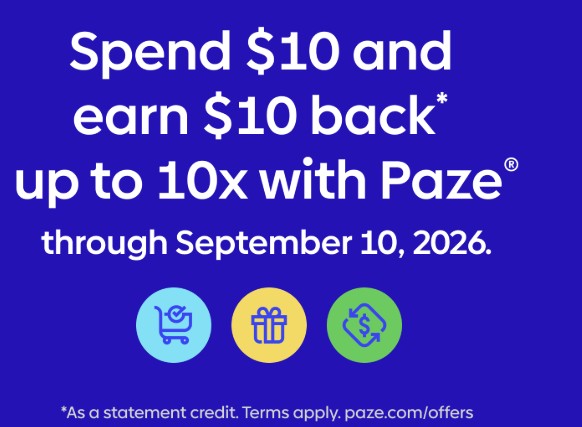
Unlike many promotions that limit you to one redemption per person, this offer is based on each eligible card in your Paze wallet. Depending on how many qualifying cards you have, the savings can add up fast.
I’ve been testing this promotion myself and have already completed 10+ Sephora purchases, along with transactions at other participating merchants. Throughout this guide, I’ll share the official rules, my personal experience, and real-world data points to help you avoid common mistakes and maximize your savings.
Quick Facts
- Promotion: Spend $10+, Get $10 Statement Credit
- Maximum: Up to 10 statement credits per eligible card
- Maximum Value: Up to $100 per eligible card
- Promotion Dates: June 15, 2026 – September 10, 2026
- Payment Method: Paze digital wallet
- Eligible Cards: Eligible Visa and Mastercard credit and debit cards issued by participating financial institutions
What Is Paze?
Paze is a secure digital wallet offered through participating financial institutions, including Chase, Bank of America, Capital One, Citi, PNC, Truist, U.S. Bank, Wells Fargo, and many other banks and credit unions. It lets you securely store and access your eligible Visa and Mastercard credit and debit cards in one place for faster online checkout.
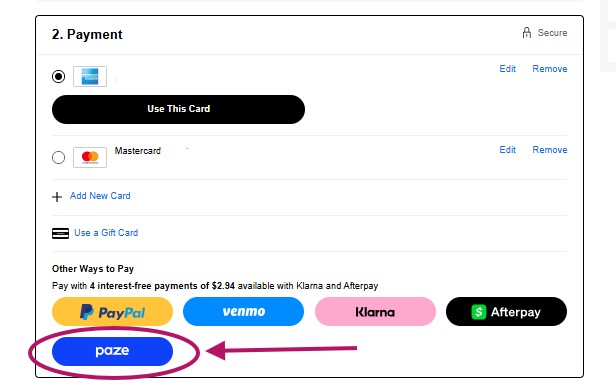
Instead of entering your card information every time you shop, simply select Paze at checkout with participating online merchants. Think of it like Apple Pay or Google Pay —but designed specifically for online shopping.
One feature I really like is that your actual card number isn’t shared directly with merchants, adding another layer of security when you check out.
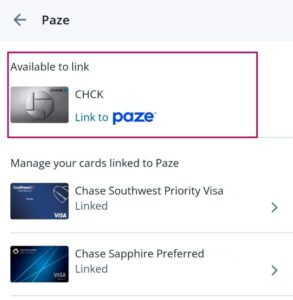
Many eligible cards automatically appear once you activate your wallet, although you may need to manually add some cards depending on your bank.
The Best Part: This Offer Is Per Eligible Card
Here’s why so many people in the travel community are excited about this promotion.
The $100 maximum isn’t tied to your Paze account—it’s tied to each eligible card.
For example:
| Eligible Cards | Potential Statement Credits |
|---|---|
| 1 card | Up to $100 |
| 3 cards | Up to $300 |
| 6 cards | Up to $600 |
| 10 cards | Up to $1,000 |
If you’re into travel rewards, having six, eight, or even ten eligible credit cards isn’t unusual. That means this promotion can easily translate into hundreds—or even over $1,000 in statement credits before the promotion ends.
Whether you’re grabbing your morning coffee, ordering dinner, stocking up on beauty products, shopping for clothes, buying flowers, or booking travel, those savings can really add up.
Do You Already Have an Eligible Card?
There’s a good chance you already have one.
Some of the eligible cards that appeared in my own Paze wallet include:
- Chase Sapphire Preferred® Card
- Chase Sapphire Reserve®
- Chase Freedom Cards (Unlimited and Flex)
- Southwest Rapid Rewards® Credit Cards
- United Airlines Credit Cards
- Citi Strata Premier℠
- Citi co-branded credit cards
- Other eligible Visa and Mastercard products from participating banks
Not every eligible card automatically appeared in my wallet after activation, so don’t forget to check and manually add any missing cards.
At this time, Paze supports eligible Visa and Mastercard credit and debit cards issued by participating financial institutions. American Express cards are not currently supported through Paze.
If you’re new to points and miles, the Chase Sapphire Preferred® Card is still one of my favorite beginner travel credit cards. At the time of writing, it’s offering a 100,000-point welcome bonus (after meeting the required minimum spend), making it one of the strongest travel card offers currently available.
I’ve included links throughout this article to some of my favorite beginner travel credit cards if you’re looking to build your points and miles strategy or see if your current cards may qualify.
How the Paze Promotion Works
Using the promotion is simple.
Step 1: Activate Paze
Activate your wallet through your participating bank or at Paze website here.
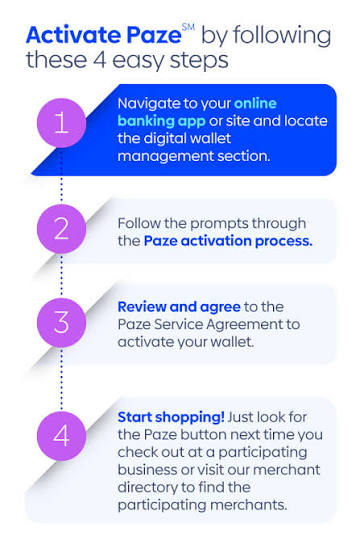
Many eligible cards will automatically appear. If one is missing, you can usually add it manually.
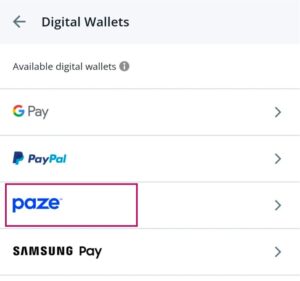
For example, to activate your eligible Chase cards:
- Sign in to the Chase Mobile app.
- Select one of your credit or debit card accounts.
- Go to “Manage Account” and choose “Digital Wallets.”
- Select “Activate Paze.”
Step 2: Shop at a Participating Merchant
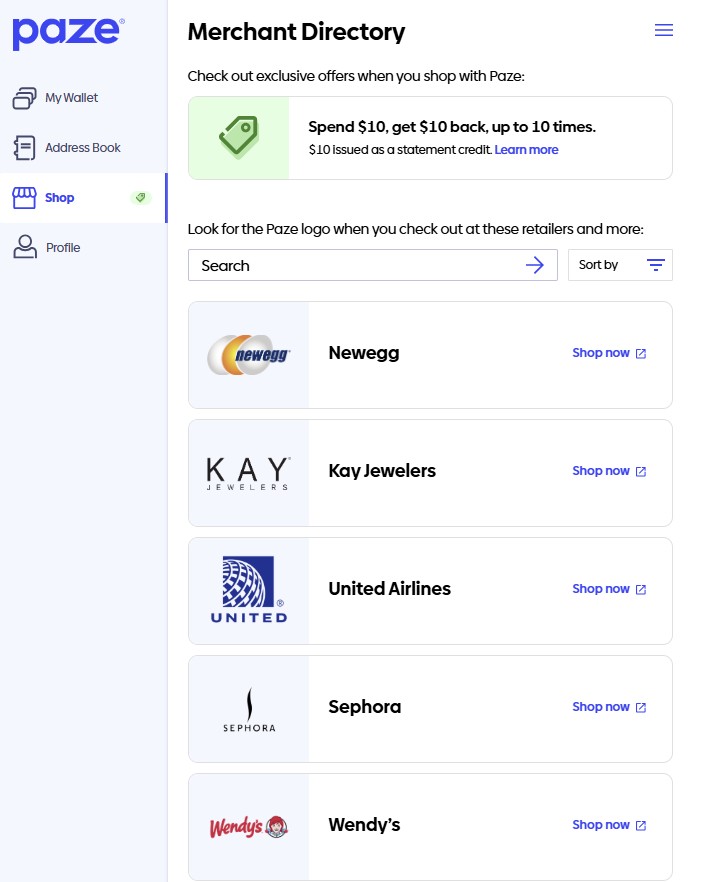
Current participating merchants include brands such as:
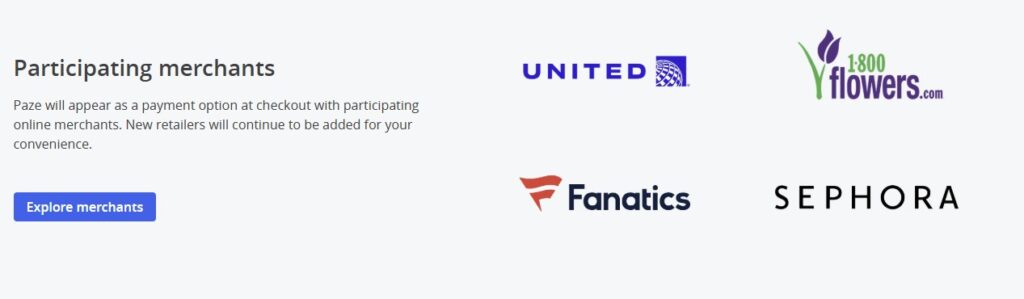
- Sephora
- Dunkin’
- Domino’s
- Wendy’s
- Fanatics
- StubHub
- United Airlines
- Harry & David
- 1-800-Flowers
- Whataburger
- Little Caesars
- Fabletics
New merchants continue to be added, so I’ll keep this guide updated as the list grows.
Step 3: Select Paze at Checkout
Choose Paze as your payment method instead of entering your card information manually.
Step 4: Spend at Least $10
This sounds simple—but it’s where I made my biggest mistake.
The final amount charged to your card must be at least $10.
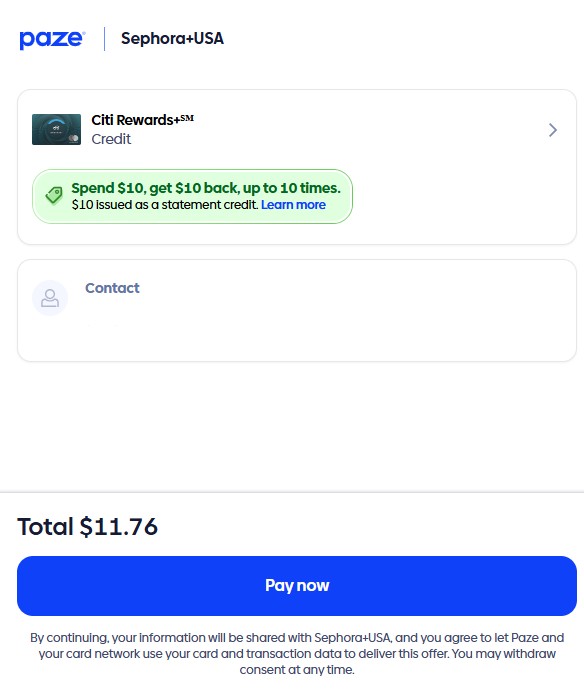
Not your subtotal, your TOTAL INCLUDING ANY TAXES AND FEES.
One Mistake I Made (So You Don’t Have To)
One of my Sephora pickup orders initially appeared to qualify because my estimated checkout total was just over $10.
However, after the order was finalized, the actual tax charged was slightly lower than the estimate. That caused my final transaction amount to fall below the $10 minimum.
Because the promotion is based on the final amount charged to your card, I don’t expect that purchase to qualify.
Now, I intentionally aim for around $11 or more per purchase to give myself a little buffer in case taxes or adjustments change the final transaction amount. If you’re shopping close to the minimum, I highly recommend doing the same.
How Long Does the Statement Credit Take?
According to Paze’s official terms, statement credits can take up to two billing cycles to appear after a qualifying purchase posts.
That said, many early data points from the points and miles community indicate that credits have been posting much faster—often within several days to about a week after the transaction settles.
Personally, I only recently started using the promotion, so I’m still waiting for my first credits to post. I’ll update this article with my own timeline once they begin appearing.
Tips I’ve Learned So Far
Make Sure Your Email Addresses Match
One of the biggest surprises I ran into involved my email address. At Sephora, my checkout wouldn’t process properly until the email on my Sephora account matched the email on my Paze wallet.
Once I updated it, everything worked. I also had to make the same change for Dunkin’.
If you use different email addresses across your shopping accounts, it’s worth checking before placing your first order.
Some Merchants Have Their Own Quirks
Every merchant seems to behave a little differently. For example, I’ve successfully used Paze multiple times through the Dunkin’ app.
Some shoppers have reported only being able to complete one qualifying transaction approximately every 24 hours.
In my experience, it took closer to 36 hours before another transaction was successfully processed. Since the promotion is still relatively new, merchant-specific behaviors may continue to change.
Promotions Can Change Quickly
When this promotion first launched, many shoppers purchased gift cards through Newegg and successfully triggered the statement credit. That opportunity disappeared quickly as it came.
Gift card purchases through Newegg no longer appear to qualify, which is a good reminder that these promotions can change with little notice. If there’s a merchant you already know you’ll use, I wouldn’t wait until the last minute.
Earn 10X with Eligible Chase Cards
If you have an eligible Chase card, you can earn even more when paying with Paze.
Through December 31, 2026, eligible Chase Sapphire, Freedom, and select United MileagePlus® cardholders earn an additional 10 points (or miles) per dollar on eligible Paze purchases.
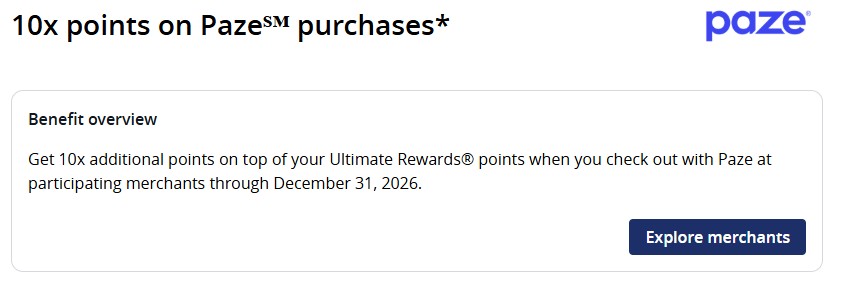
- Earn an extra 10X points on up to $1,500 in Paze purchases each month (up to 15,000 bonus points monthly).
- Available on eligible Chase Sapphire®, Freedom®, and select United® credit cards.
- Newegg purchases are excluded from this Chase benefit as of June 30, 2026.
If you already have one of these cards, there’s nothing extra to enroll in—just check out with Paze using your eligible Chase card.
Stack Even More Rewards
One of my favorite parts about this promotion is that it stacks with other rewards.
Depending on the merchant, you may be able to combine:
- Your $10 Paze statement credit
- Credit card rewards
- Merchant loyalty programs
- Shopping portals like Rakuten, American Airlines, Capital One Shopping
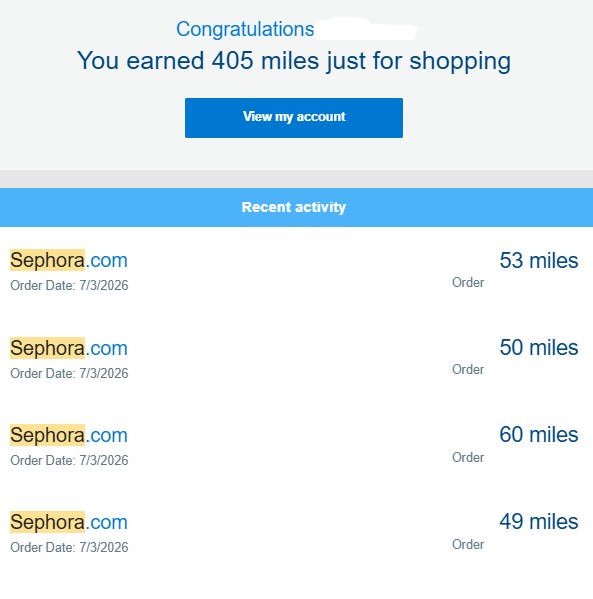
Stacking rewards is one of the easiest ways to get even more value from purchases you were already planning to make.
Why Sephora Has Been My Favorite Merchant
So far, I’ve completed more than 15 Sephora purchases using this promotion.
I’ve used both shipping and Buy Online, Pick Up In Store, and it’s quickly become my favorite way to maximize the offer.
Instead of purchasing expensive full-size products, I’ve been stocking up on travel-size skincare, sunscreen, facial wipes, body wash, moisturizers, hand cream, and other beauty essentials that I actually use while traveling.
Even better, if you’re a Beauty Insider member, you’ll qualify for free shipping on eligible orders.
During certain promotions, you may also be able to stack Sephora Collection sales or redeem Beauty Insider points for additional savings, making this promotion even more valuable.
I’ve also put together a curated list of my favorite Sephora finds—including products under $15, travel-size favorites, and beauty products I’ve personally purchased using this promotion.
You’ll find those recommendations and links here in my Best Sephora Products to Buy with Paze post here
Best Sephora Products to Buy with the Paze $10 Statement Credit
Frequently Asked Questions
Is there a cost to use Paze?
There is no additional cost to use Paze. You’ll remain responsible for normal card charges, if any, such as interest on revolving balances or applicable fees, etc. The terms of your applicable cardmember or account agreement, including any account-related fees, apply.
Can I use store pickup?
Yes. I’ve successfully used both shipping and Buy Online, Pick Up In Store. Just make sure your final transaction amount remains at least $10.
Can I earn the promotion more than once?
Yes. The current promotion allows up to 10 statement credits per eligible card, for a maximum of $100 back per eligible card during the promotional period.
Does tax count?
The important number is the final amount charged to your card after any adjustments—not just the subtotal or estimated checkout total.
Final Thoughts
The Paze Spend $10, Get $10 Back promotion is one of the easiest ways I’ve found this year to offset purchases I was already planning to make.
Between the statement credits, shopping portals, merchant rewards, and targeted Chase Offers, it’s possible to stack multiple rewards on the same purchase.
My biggest piece of advice? Don’t aim for exactly $10. Give yourself a little cushion, double-check that your emails match where needed, verify that all of your eligible cards are loaded into Paze, and start with merchants you already shop with.
As I continue testing additional merchants and receiving statement credits, I’ll keep this guide updated with new data points, tips, and anything that changes along the way.
What have been your favorite ways to redeem your Paze credits?
Disclosure: The products included in this post may contain affiliate links. If you make a purchase, I may earn a small commission at no additional cost to you. Thank you for supporting Journey with Reese J —it helps me continue creating free travel, points & miles, and money-saving content.